
The Waffle Press
A50 X WIRELESS HEADSET - Is It Good?
Written by Graham Day // published 29th January 2024
Hear Every Move
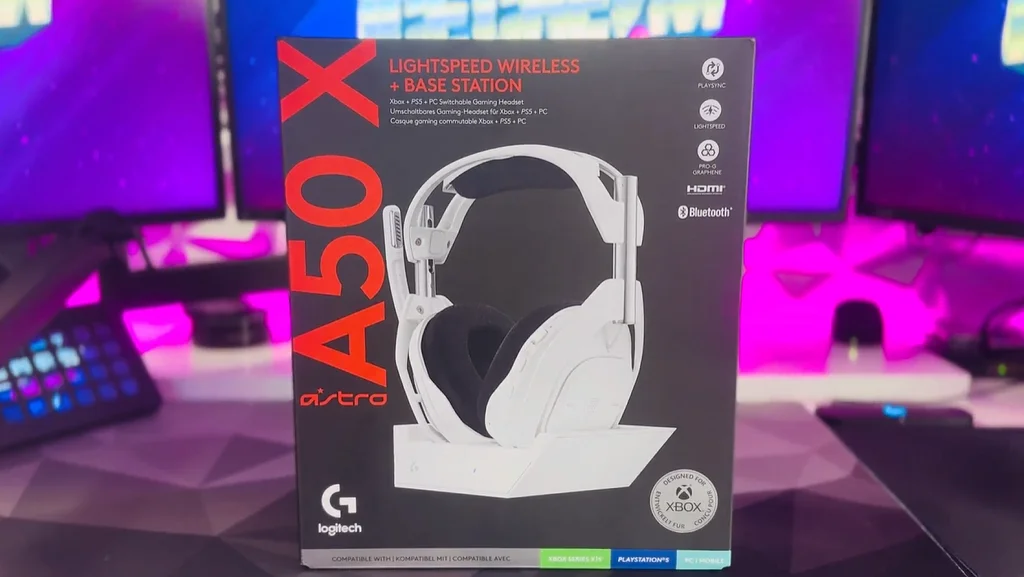
If you’re looking to get the best out of your video game audio, then we’re about to make things exciting for you. The ASTRO A50 X is the new flagship ASTRO Series headset from Logitech G. It’s primarily aimed at console gamers - but don’t get that mistaken, this thing is powerful - and great for PC gamers and content creators too.… and we were given special, early access to it from our friends at Logitech G UK.
In this article - which we’ve put together after having around a month of hands-on time with the headset - we’ll give you guys our thoughts on why this could be the best headset you could get your hands on this year - especially if you’re a console gamer and even more so if you have multiple consoles.
Now, let's start off by saying that we are Logitech G Partners - but we aren’t being paid to say anything specific, or being forced to be positive in this content. We just want to disclose that relationship up front for absolute transparency. Those of you that have known us for a while will know that we’ve been using ASTRO headsets for years - and we started using them long before we ever got partnered (in fact, that’s actually the reason why we are partnered). Until now, the ASTRO A50 is easily our favourite headset…
Well, we’ll also count the A40 in that too as it’s basically the same thing but wired. We’ve used them both on stream for a number of years now, so we’re super excited to take a look at the new version.
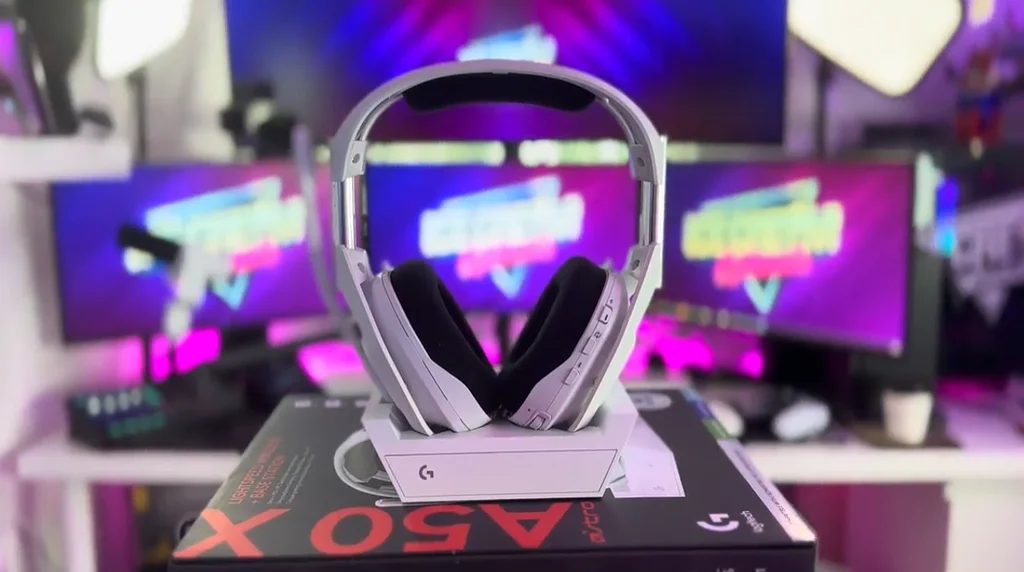
If you’re looking at the A50 X and thinking “wait, that looks familiar”, well, that’s because it is familiar. The new headset keeps the design of the original A50, which is a smart move; the flagship ASTRO series design is a classic… but the A50 X builds on that by adding a bunch of breakthrough innovations - some of which are especially useful if you’re a console gamer.
Connectivity
Let’s kick things off by talking about one of the coolest things this headset offers - super simple, multi-system connectivity, without the need for a PC.
Console gaming has leveled up. Back in the day, if you played games on console - you’d likely have your one console of choice and you’d likely be playing it through a TV. But, these days it’s pretty normal for people to have multiple consoles… maybe you wanna play a little Spider-Man AND a little Starfield… and, let’s be honest you pretty much need a headset if you want to compete - or get fully immersed in your game… but using one headset across multiple consoles was an issue with the old A50s - you had to choose whether you wanted your headset to work for your PlayStation or your Xbox, or you’d have to buy extra components and it’d all get a bit fiddly.
That’s not a problem with A50 X… you can play on a PS5, an Xbox and a PC - all from the same device.
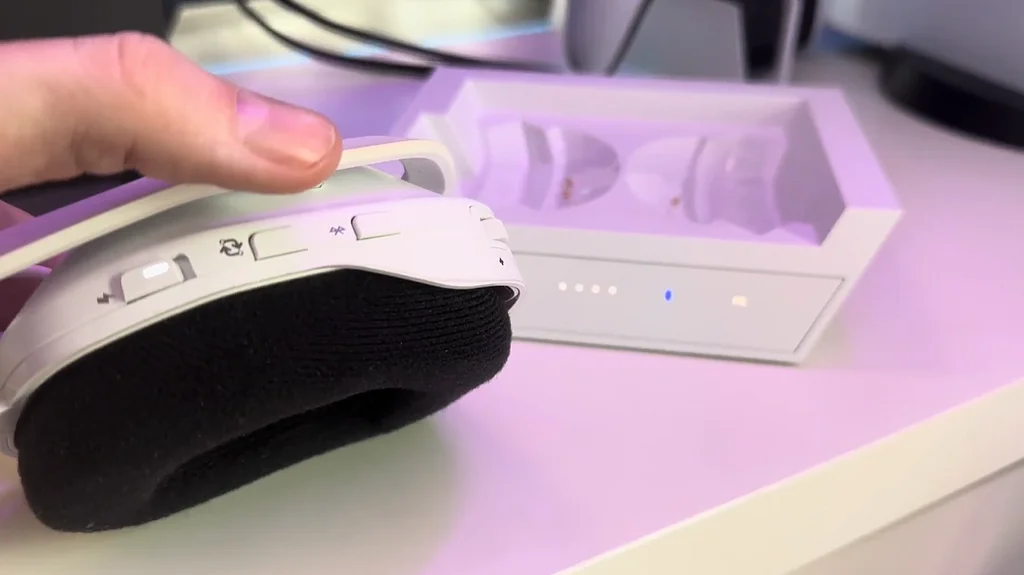
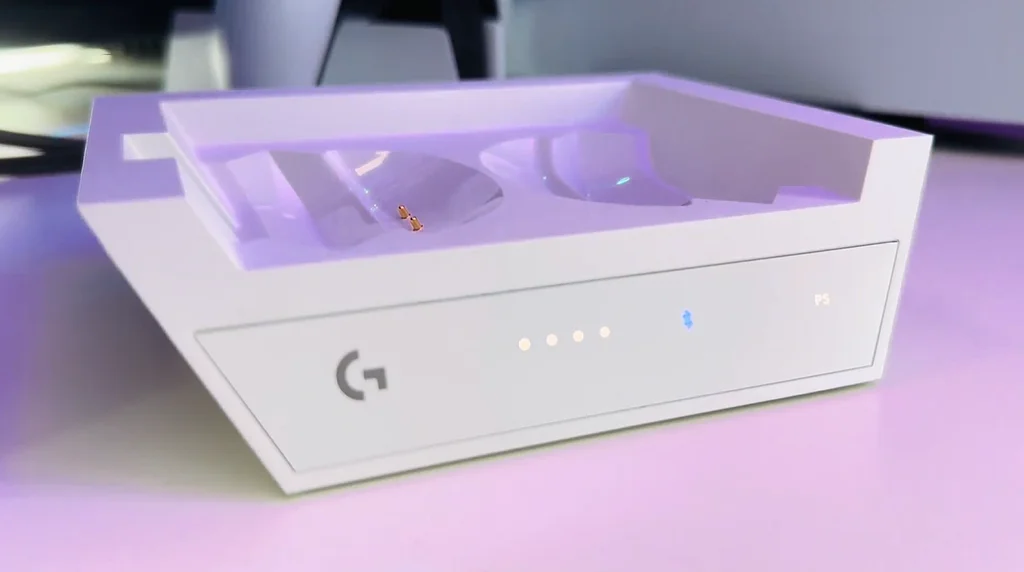
That’s possible because the new integrated Base Station has multi-system connectivity, LIGHTSPEED Wireless and Bluetooth - all built in. With one tap of the PlaySync button, which is conveniently located on your headset, you can swap between multiple platforms without ever having to leave your seat.
Not only that, with Bluetooth Dual Device Mixing, your headset can do some really cool audio wizardry that you don’t even realise you needed in your life - especially if you’re a content creator. If you connect your phone to your headset using bluetooth, you can answer incoming calls or jump into a Discord voice channel - whilst you’re in a game on a console - without having to do that awkward thing where you slide one ear cup off, or sliding a set of in-ears under your over-ear cups.
You could even connect your Switch to the A50 X using Bluetooth and have 4 different gaming platforms - PlayStation, Xbox, PC and Switch - all connected to one wireless headset simultaneously.
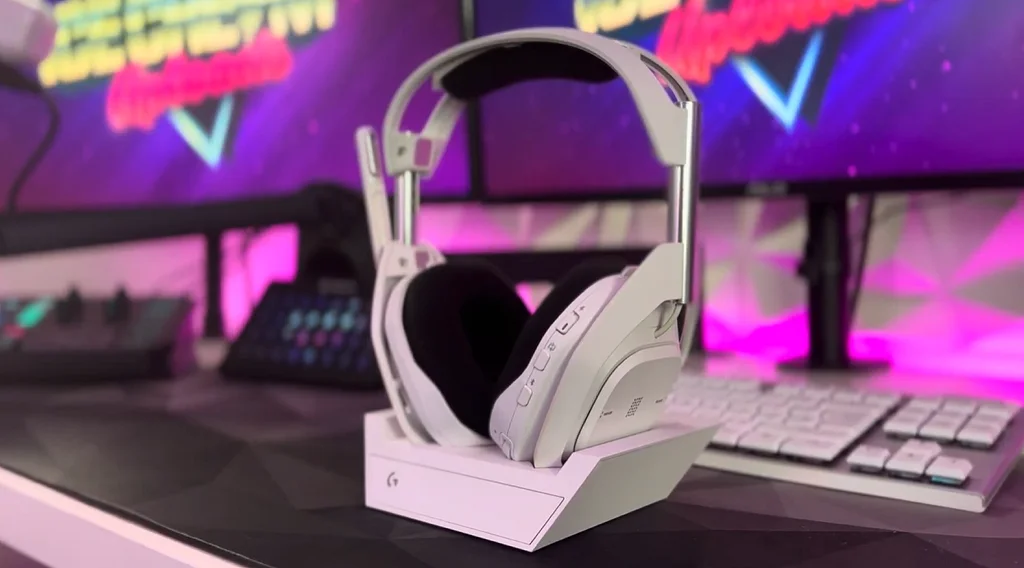
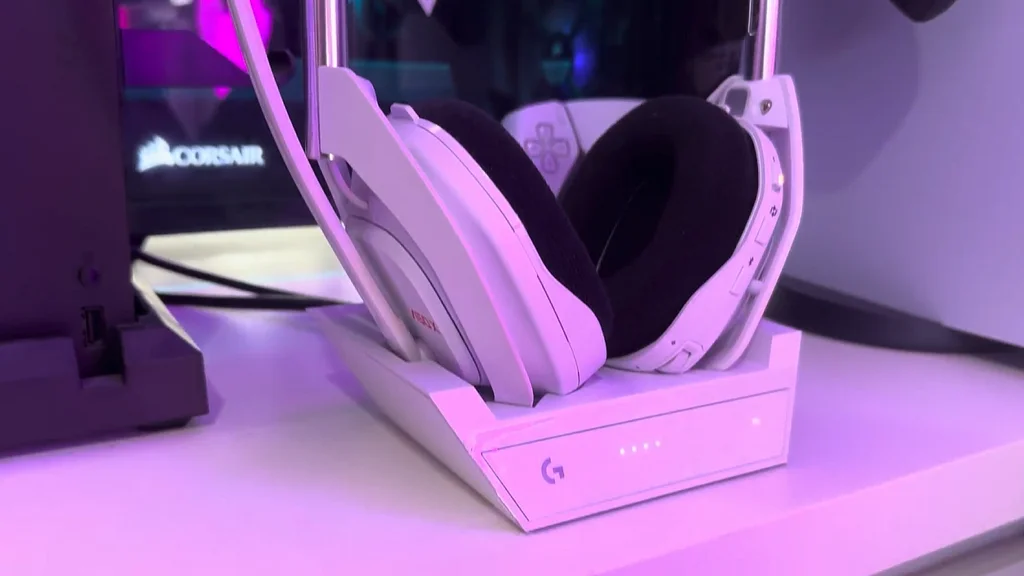
Beyond that, the base station has all the cool bits that seasoned A50 users will be used to, like the integrated LED info panel to show what device you’re connected to - as well as your headset’s battery life. There’s also a click-in magnetic charging cradle, to help you keep your headset’s battery primed and ready. I found that my A50 headset didn’t always catch the charging points, so it sometimes took some fumbling to get it to connect - but the A50 X connects on the first try, all the time.
Design and Build Quality
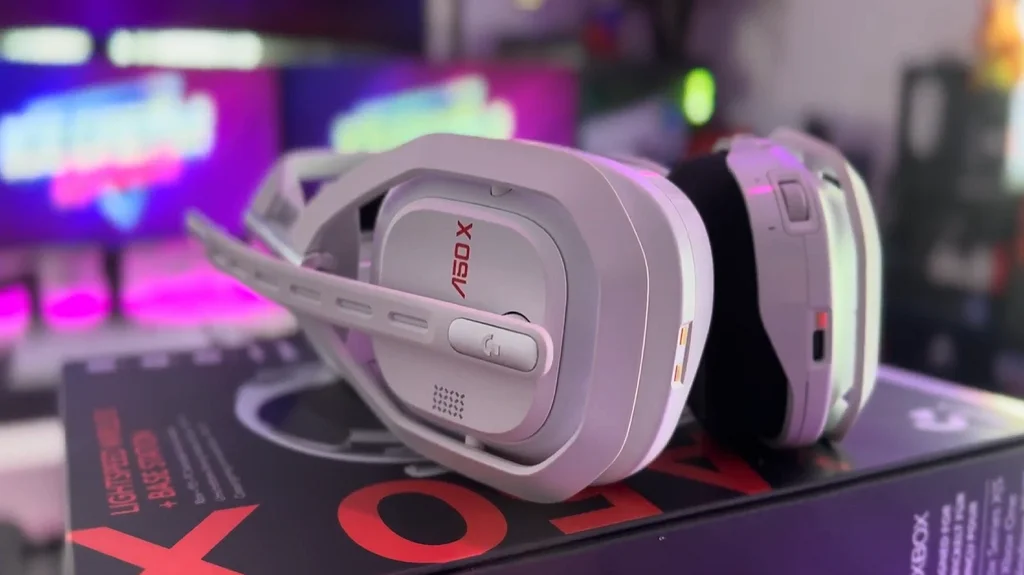
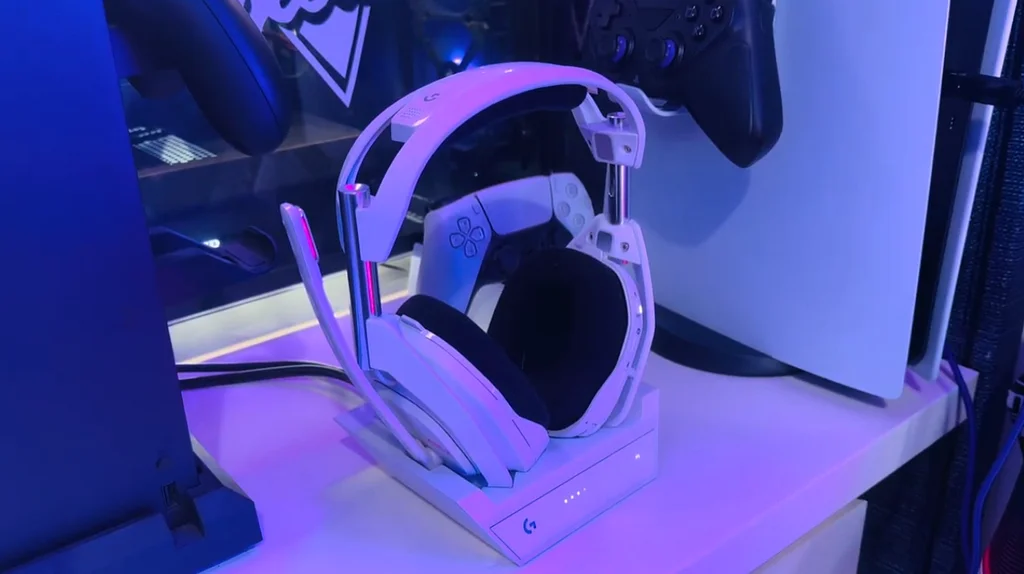
As we mentioned, the design of the A50 X stays pretty true to that of the previous A50 headset, as does the base station too. The A50 X is design evolution rather than revolution - and when you have a headset that looks as good as the A50 did, that makes sense.
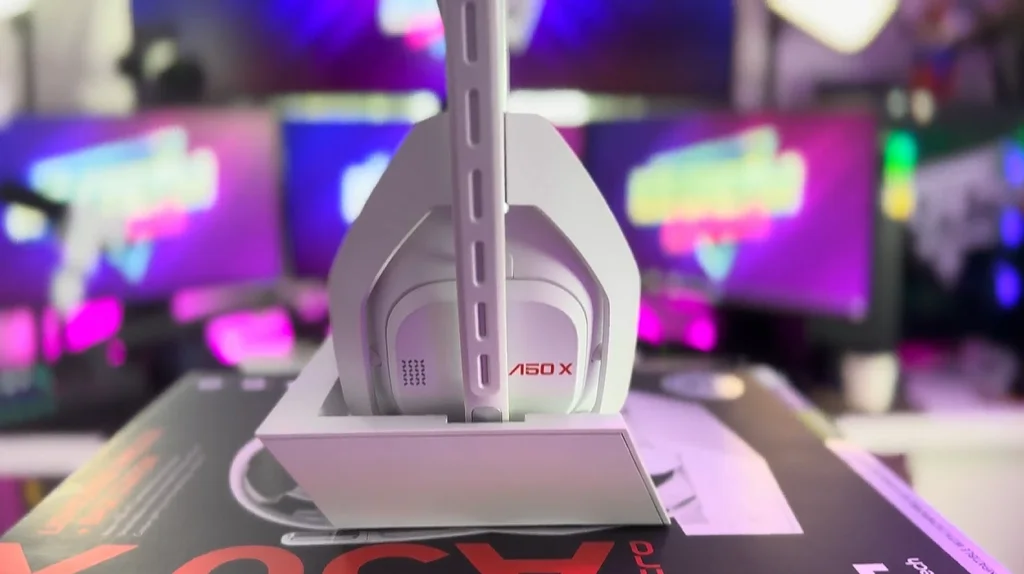
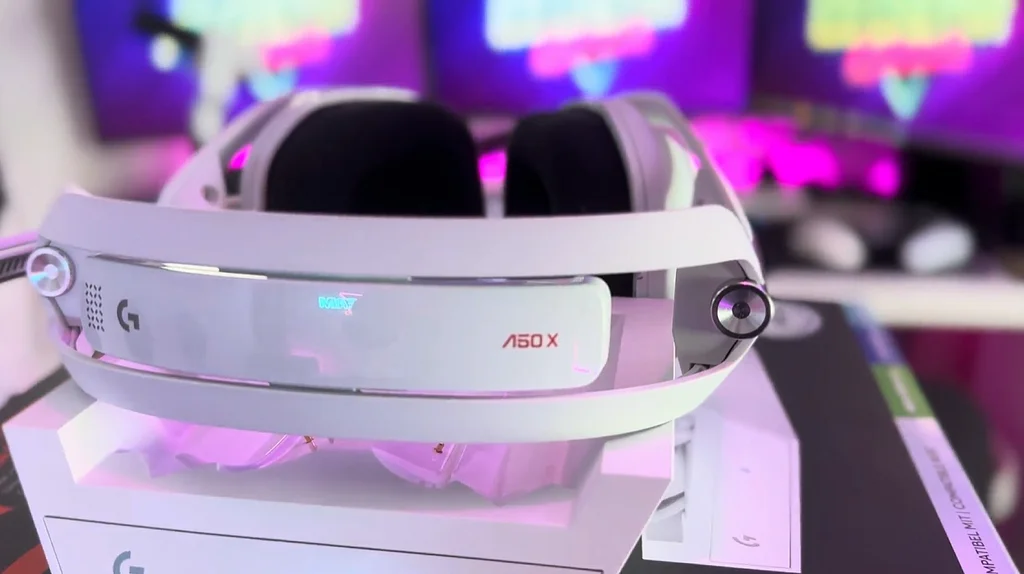
There are some subtle design differences though - the ASTRO logo has been replaced by the Logitech ‘G’ motif, which is in line with Logitech G’s global brand direction. As well as that, there’s a striking “A50 X” logo in red on both the top of the headrest and on the left ear cup.
The majority of the changes are internal, so the visible physical differences are mainly around the buttons and ports. The Dolby and EQ buttons on the old A50 headset are still there, but their functions have been replaced with the new “PlaySync” and Bluetooth functions. The volume wheel is in place with the same functionality, as are the voice/game volume rockers on the right ear cup - they’ve just been refreshed with a minimal graphical design style more in line with a Logitech G headset.
All USB ports are now USB-C which is great for consistency and future proofing - but it’s something to be aware of if you’re thinking of re-using any old Micro USB cables you might have in your setup.
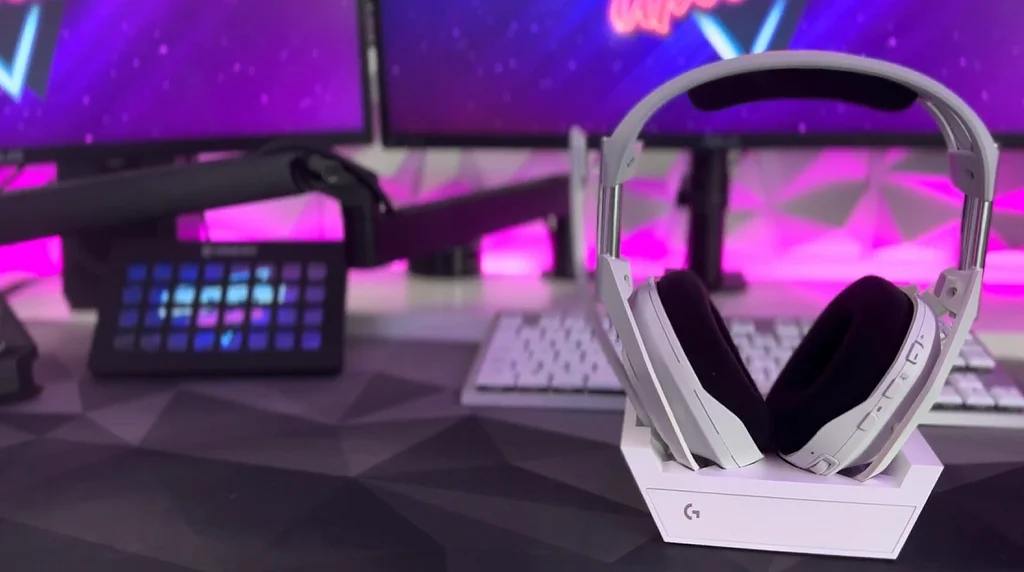
The Microphone is fixed to the left ear cup - you flick it down to activate it, flick it back up to turn it off again. If you’re looking at upgrading from the ASTRO A40 headset, the mic on the A50 X can’t be removed (which was the same with the old A50). The reason for this, we’re told, is due to a focus on mic quality. By having the mic permanently fixed, the A50 X can deliver a better audio quality than a mic that has detachable considerations… and let me tell you, you notice it. In terms of tech specs, the mic is omnidirectional and has a 48 KHz wireless fidelity which is described as a broadcast-quality mic. I know what you’re thinking “Yeah, right, it’s a headset mic” - as a content creator that’s what I thought, but the quality of the A50 X microphone is closer to the quality of an XLR mic than the previous A50 mic.
Mic test demo
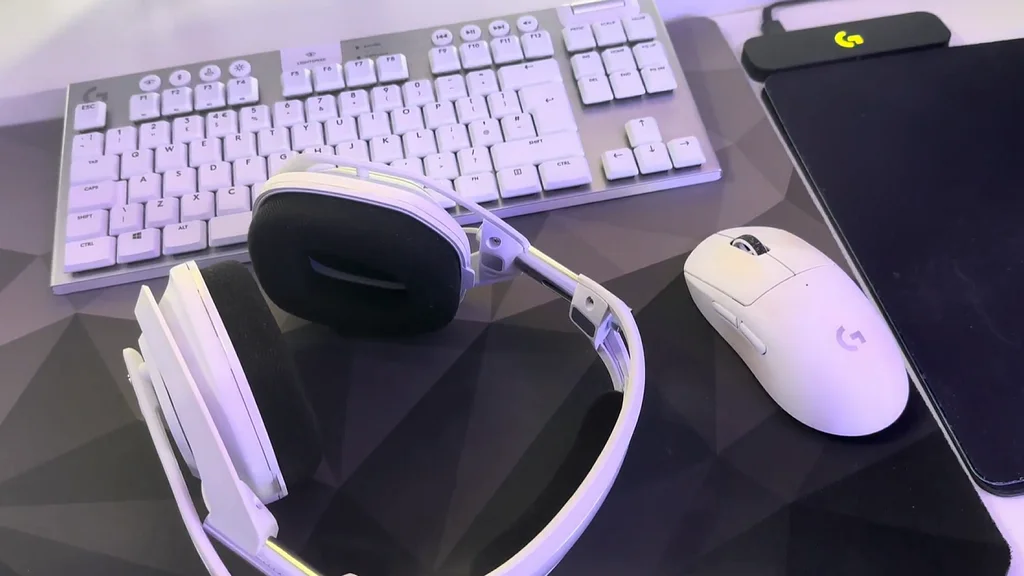
The adjustable headband and soft ear cups are carried over from the previous generation - so you can be sure of a comfortable fit even over longer periods of use, making it great for marathon gaming sessions - or charity streams.
Also, if you have an A50 mod kit - don’t worry, they’re compatible with the A50 X.
Audio Quality
The A50 X has a significant increase in audio quality over the previous generation, largely down to the audio drivers. The old A50 headset packed 40mm neodymium drivers whilst the new A50 X’s audio drivers utilise PRO-G GRAPHENE - a breakthrough material that helps to provide improved audio clarity.
Basically… Graphene allows for better distinction between different audio objects and sound layers, and that helps you to make digital soundscapes feel real… in simple terms, that means that it helps you pinpoint exactly where your in-game enemies are, and improves the audio quality on cinematics and soundtracks.
As you’d expect with an ASTRO Series headset, the bass is deep and punchy, ensuring that explosions - and any other booms and bangs - carry the necessary weight with them. This is particularly great if you like bombastic shooters or battle royales.
So, whether it's the subtle rustling of leaves, the distant footsteps of an opponent, or the dominant thuds of an airstrike hitting its target, the A50 X ensures you’ll hear it all and it’ll sound gooooood.
Wireless Performance
The A50 X brings 24-bit LIGHTSPEED wireless audio to your consoles for the first time - via HDMI 2.1 passthrough technology.
LIGHTSPEED wireless has been on Logitech gear for a while, but this is the first time an ASTRO A50-level headset will get to benefit from advanced LIGHTSPEED… basically, your wireless connectivity is super fast - and, in a world where every millisecond matters, that’s a nice advantage to have.
Battery Life
The A50 X has a whopping 24 hours battery life on a full charge. To give that some comparison, the previous A50 was already great - but that had a life of around 16 hours… that means the A50 X has around 9 hours more. That’s huge. 24 hours covers almost all console gaming situations. To put that into real life examples, I used my A50 headset for both work and play, but even then I rarely had it off the base for 16 hours in one go.
And, as content creators, the only time we’ve passed the 24 hour mark was during a 24 hour subathon, but the chances are you won’t be doing many of those.
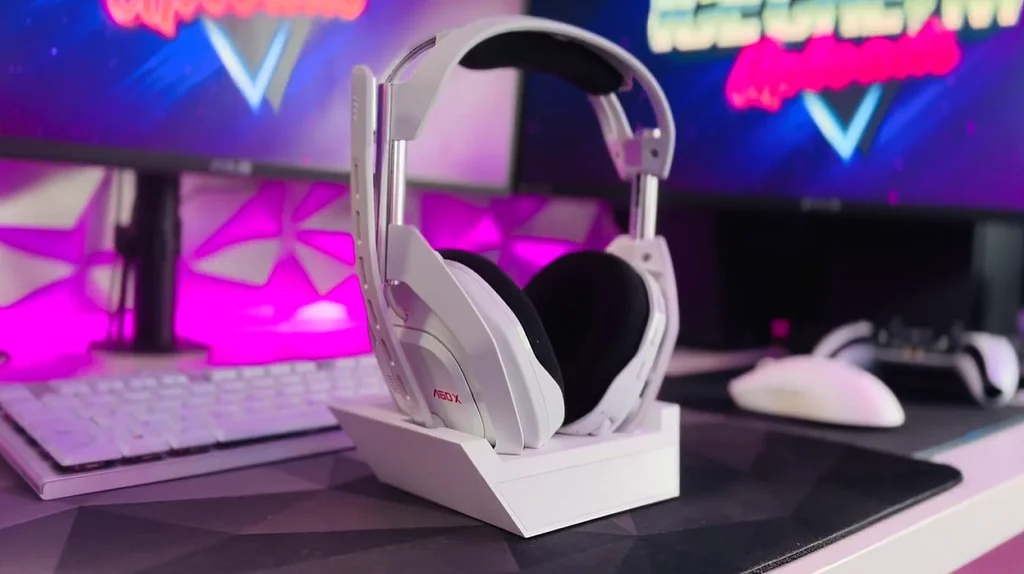
And if somehow you did need a little more juice, you can charge the headset by USB-C whilst it’s in use. The reality though is that the stylish base station will keep most people powered-up; and it also doubles as a convenient storage solution, so there’s no need to buy a headset stand - or to hang your headset over the edge of your monitor.
Software
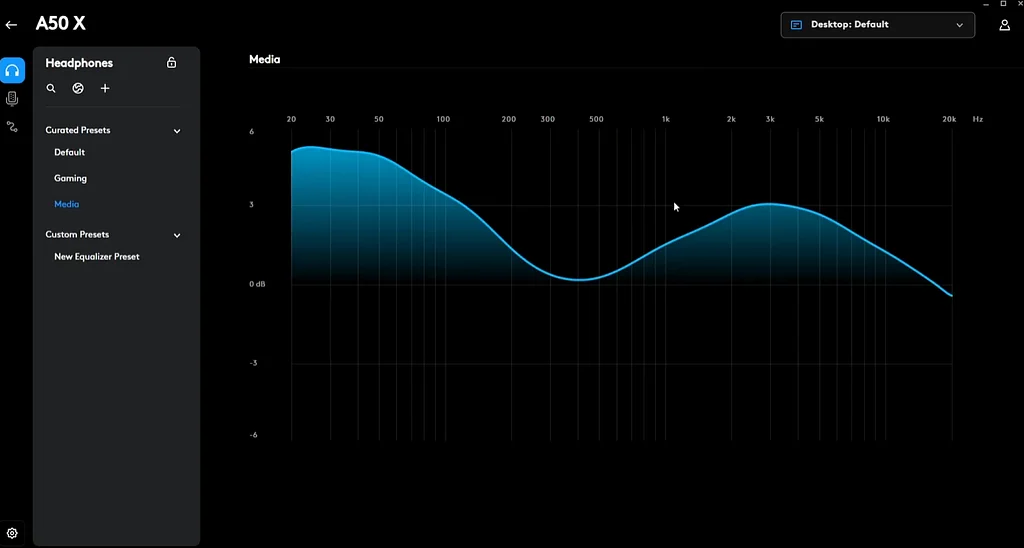
The A50 X follows in the steps of the ASTRO A30 and has moved away from the ASTRO Command Center and into the Logitech G HUB (and mobile app) to provide advanced audio options on the go.
You can use the app to fine-tune your equalizers, adjust microphone settings, and configure your own fully-customisable sound profiles. If your surround sound settings seem off, the Logitech G HUB is where you can take care of it - and the fact it’s a mobile app means that console users who might not have access to a PC can get access to their settings without having to leave their console.
If you’re looking at the A50 X from a content creator perspective then make sure you look at the free MixLine software from Logitech too. It’s only in beta at the moment, but it’s a great audio mixing solution for people that don’t have the want or need for a physical mixing desk… and it’s gorgeous and it’s super simple to use. Within literal seconds I’d added my game sounds and chat mic as an input - and my headset as an output - and was ready to roll. Anyone that’s used digital audio cables in the past will know what some systems can be complex, MixLine is anything but complex - just connect the lines and you’re good.
Content creators and XLR users
Now, everything we’ve gone over so far is going to be more than enough for most people to be good to go… but if you’re a content creator - especially a creator that uses monitoring on your microphone - you might want to look into getting yourself an audio embedder.
We want to point out - this isn’t recommended by Logitech - this is an ICU recommendation as long time ASTRO and XLR users, so keep that in mind!
Let me paint a picture… my setup uses a Logitech Blue Sona mic connected to a GoXLR mixer. I connect the mixer to my PC with a USB cable - just as I do with my A50 X base station. The fact that I’m using 2 USB devices, and one of them is a wireless device, is important as that brings up a technical pitfall.
When you send audio from one USB device, through a PC, and into another USB device, which then transmits that signal wirelessly you get audio latency. This isn’t unique to Logitech - this is just standard AV. It doesn’t matter if you’re using an XLR mic going through a USB mixer, or a USB condenser mic, you’d get a small amount of latency if you’re sending audio to a USB headset. That latency is usually around 20 milliseconds or so - and for a lot of people, or for a number of tasks, that’s hardly noticeable… but, if you’re monitoring your mic audio - or putting it simply - if you have your own voice playing back into your ears, then that latency on the audio can be off-putting.
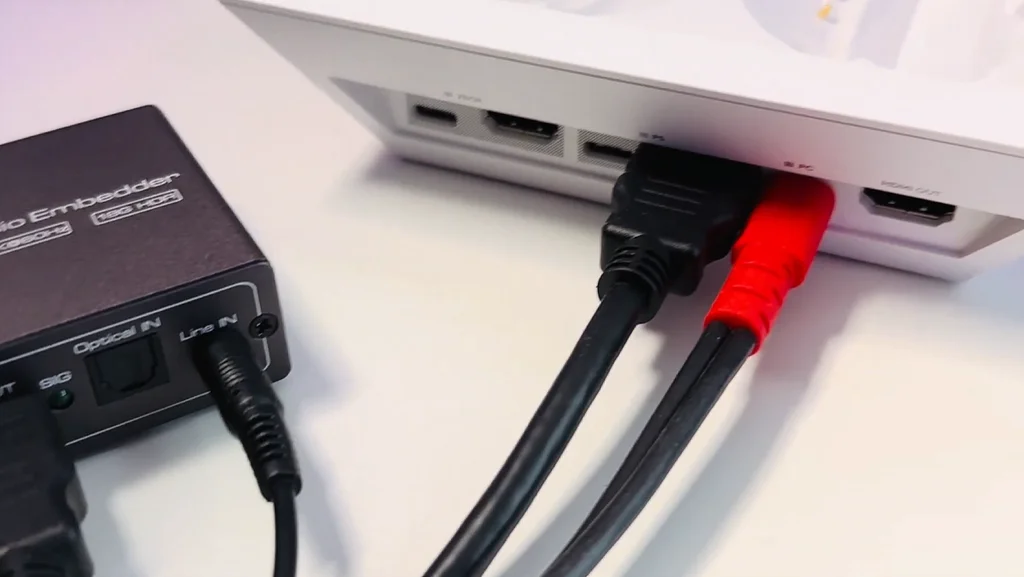
I worked around that on the A50 headset by running a 3.5mm audio cable from the line out on the GoXLR and into the line in port on the base station. This effectively cut out both USB handshakes and gave me latency-free audio in my ears. But, as the A50 X focuses on more modern tech like USB-C and lightspeed wireless, it doesn’t have 3.5mm or digital optical audio ports - so I couldn’t use that option.
This is where the audio embedder comes in. I’ve got a simple HDMI audio embedder - which you can pick up off Amazon - mine is around £49 but you can get them for as low as £15, although I haven’t tried those. True to its name, the embedder allows me to embed the 3.5mm audio into a HDMI stream that goes into the base station - it requires an extra HDMI cable and the embedder unit, but the outcome is worth it - latency-free, wireless audio and all the benefits that come with the A50 X.
Before using the embedder, I tried workarounds like using the “Listen” function on the line-in source within Windows, but it didn’t get rid of enough latency for me. MixLine’s latency was by far the best, followed by the audio source monitoring in OBS - but audio latency was still noticeable.
If you’re not a content creator - and you’re just plugging your consoles straight into the base station, as I suspect most of the target audience are, then you don’t need to worry about any of this… The base station is your audio mixer and it just works.
Price and Value
Let's be real; the A50 X is a premium headset - so it comes with a premium price. If you can’t see yourself spending £300+ on a headset then this headset probably isn’t for you. You might want to look at the A40 or something instead. However, if you’re after cutting edge tech, breakthrough audio performance, top-of-the-line build quality and the ability to use that across all your devices, then it’s worth every penny.
If you were to connect a Nintendo Switch to the A50 X as a bluetooth device, you could effortlessly switch between all 4 of the major gaming platforms, PlayStation, Xbox, PC and Switch, effortlessly - and wirelessly.
Conclusion
We are suuuuper impressed with the A50 X.
It delivers on its promise of providing “breakthrough” gaming audio quality - thanks to the G-PRO GRAPHENE audio drivers.
Its stunning design, comfort, and impressive sound quality make the A50 X a top choice for both casual and competitive gamers alike. The wireless performance and Dolby Audio support further enhance its value proposition.
But its cross-platform usability is perhaps its greatest strength. The ability to seamlessly switch between all your devices, without having to leave your seat, courtesy of the PlaySync multisystem compatibility is heavenly… and even more so if you dual wield that with Bluetooth Dual Device Mixing. The A50 X isn’t just a headset, it’s also a mixer and a genuinely great
While it may be a significant investment - and there’s some things to be aware of if you’re in a complex content creator setup, the A50 x stands as a prime example of "you get what you pay for," making it a highly recommended choice for those seeking a top-tier gaming headset.
Don't forget you can get 10% off every Logitech G order by using code: "ICECREAM" at checkout - or by using our tracking link below.